
No products in the cart.
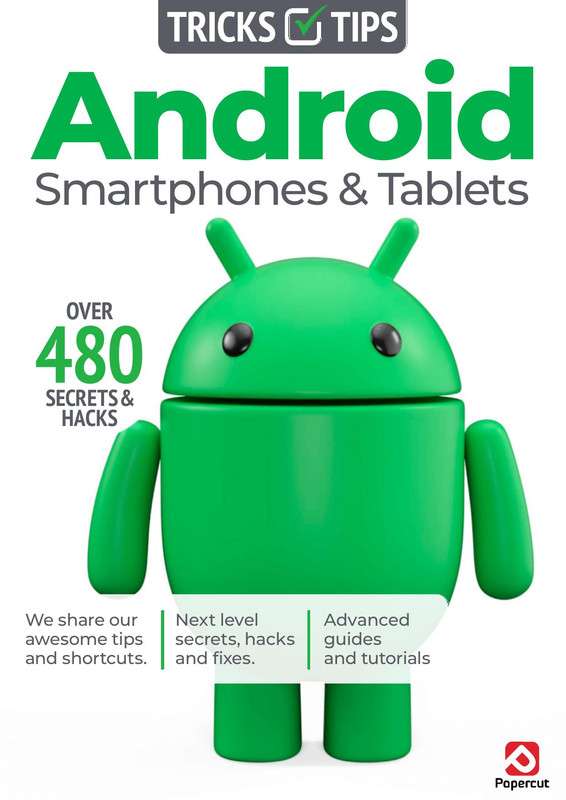
Android Smartphone and Tablet Tips for Better Productivity
Original price was: $49.99.$4.99Current price is: $4.99.
Discover useful features, shortcuts, and settings. Master Android Smartphone Tips Tricks for enhanced mobile productivity.
Description
Android Productivity Tips Mastery Course
Android Productivity Tips Mastery Course is a practical and comprehensive guide designed to help Android smartphone and tablet users maximize efficiency, improve organization, and get more done with their devices. Whether you use Android for work, education, business, or personal productivity, this course reveals powerful features, hidden settings, and time-saving techniques that can transform the way you use your smartphone and tablet every day.
Why Learn Android Productivity Skills?
Android devices offer a vast range of productivity features that many users never fully utilize. From multitasking and automation tools to cloud synchronization and advanced app management, Android smartphones and tablets can become powerful productivity machines when configured correctly. This course teaches practical strategies to streamline daily tasks, reduce distractions, and improve workflow efficiency.
Designed for beginners and experienced Android users alike, the course focuses on real-world productivity techniques that can be applied immediately. You’ll learn how to organize your digital life, manage communications effectively, and leverage Android’s built-in tools to save time and boost performance.
What You Will Learn
- Optimize Android settings for maximum productivity
- Master multitasking with split-screen and multi-window features
- Organize apps, widgets, and home screens efficiently
- Use cloud services for seamless file synchronization
- Manage notifications and reduce digital distractions
- Improve battery life and device performance
- Utilize Google Workspace and productivity applications
- Create effective note-taking and task management systems
- Learn file management and storage optimization techniques
- Enhance communication and collaboration workflows
Course Features
This course provides hands-on demonstrations and practical examples showing how to use Android smartphones and tablets more effectively. Students will explore productivity-enhancing features such as Google Assistant, voice commands, calendar management, cloud storage integration, automation tools, and device customization options.
You’ll also learn how to configure security settings, optimize application performance, manage digital documents, and create personalized workflows that support professional and personal goals. The lessons focus on actionable strategies that deliver immediate productivity improvements.
Who Should Take This Course?
- Android Smartphone Users
- Android Tablet Owners
- Business Professionals
- Remote Workers
- Students and Educators
- Entrepreneurs
- Freelancers
- Anyone looking to improve digital productivity
Benefits of This Training
- Save time through efficient device management
- Improve organization and task tracking
- Reduce distractions and increase focus
- Enhance collaboration and communication
- Maximize the value of your Android devices
- Learn practical tips used by productivity experts
- Increase workflow efficiency for work and study
- Develop better digital habits and routines
Explore These Valuable Resources
Explore Related Courses
- Android Development and Training
- Mobile Technology Courses
- Productivity Skills Training
- Google Workspace Courses
- Digital Skills Training
Conclusion
Android Smartphone and Tablet Tips for Better Productivity is an essential course for anyone who wants to unlock the full potential of their Android devices. Through practical techniques, expert guidance, and real-world productivity strategies, you’ll learn how to work smarter, stay organized, and accomplish more using the powerful features available on modern Android smartphones and tablets.
Additional information
| Authors | Expert Training |
|---|---|
| Publisher | Papercut |
| Published On | 15-05-26 |
| Language | English |
| File Format | |
| File Size | 30.28 MB |
| Rating | ⭐️⭐️⭐️⭐️⭐️ 4.171 |
Only logged in customers who have purchased this product may leave a review.
Recommended Courses and Materials
iPhone For Seniors For Dummies 2023 Edition Manual
Step-by-step iPhone guide for seniors covering setup, apps, and features for 2023 models. Original price was: $25.99.$2.60Current price is: $2.60.Essential WhatsApp Tips and Tricks for Everyday Users
Discover hidden features and productivity hacks. Master WhatsApp Productivity Tips Tricks for better communication and efficiency. Original price was: $49.99.$0.00Current price is: $0.00.





Reviews
There are no reviews yet.