
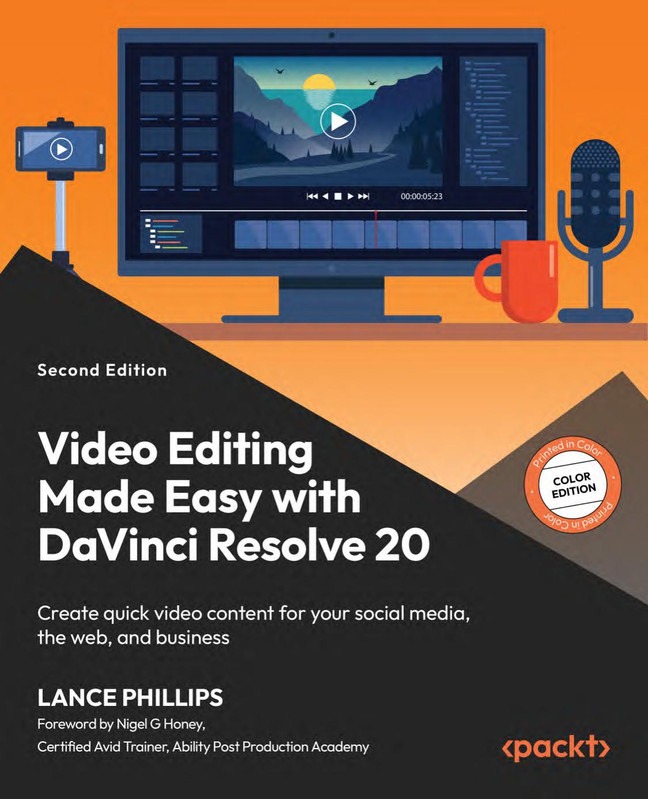
Description
Video Editing Made Easy with DaVinci Resolve 20
DaVinci Resolve Video Editing course teaches you how to quickly create professional video content for social media, websites, and business marketing using the powerful tools inside DaVinci Resolve 20.
Video content dominates modern communication; therefore, learning efficient editing techniques gives you a strong creative advantage. In this course, you will learn how to edit videos quickly and professionally using DaVinci Resolve 20. Moreover, the course focuses on practical workflows so you can produce engaging content for YouTube, Instagram, TikTok, websites, and business promotions.
First, you will understand the interface and essential editing tools. Then, you will learn how to cut clips, add transitions, adjust audio, apply color corrections, and export high-quality videos. In addition, the instructor demonstrates shortcuts and automation techniques that significantly speed up the editing process. As a result, even beginners can produce polished content within a short time.
Furthermore, this training helps entrepreneurs, marketers, content creators, and freelancers build professional video content without hiring expensive editors. Consequently, you gain both creative skills and business value.
What You Will Learn
- Understand the DaVinci Resolve 20 editing interface
- Import, organize, and manage video clips efficiently
- Cut and trim footage to create engaging stories
- Add transitions, titles, and motion effects
- Improve audio quality and synchronize sound
- Perform basic color correction and grading
- Export videos optimized for social media and web platforms
- Create professional promotional and marketing videos
Who This Course Is For
This course is ideal for beginners who want to start video editing quickly. Additionally, social media creators will benefit from the fast-editing workflows taught throughout the lessons. Entrepreneurs and marketers will also find this course valuable because it helps them create promotional videos for their businesses without relying on external editors.
Why Learn DaVinci Resolve 20
DaVinci Resolve has become one of the most powerful video editing platforms available today. In fact, many professional studios rely on it for film and television production. However, beginners can also learn it easily because the interface supports simple workflows. Therefore, mastering this software opens opportunities in content creation, freelancing, and digital marketing.
Additionally, DaVinci Resolve integrates editing, color grading, audio production, and visual effects within a single application. As a result, you can complete the entire production process without switching software. Consequently, you save time while improving video quality.
Explore These Valuable Resources
Explore Related Courses
- Explore Related Courses
- Explore Related Courses
- Explore Related Courses
- Explore Related Courses
- Explore Related Courses
Start Creating Professional Videos Today
If you want to create high-quality videos quickly, this course provides the perfect starting point. Not only will you learn powerful editing techniques, but you will also build the confidence to produce engaging video content consistently. Therefore, enroll today and begin transforming your ideas into professional video productions using DaVinci Resolve 20.








Reviews
There are no reviews yet.