

Description
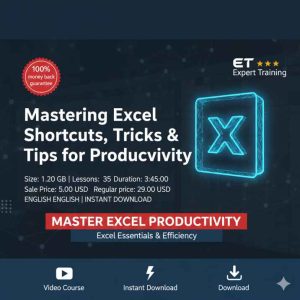
Pro Mastering Advanced Excel – Formulas, Functions & Charts
Advanced Excel Formulas Functions training is designed to help professionals, students, and data-driven learners master powerful Excel tools for analysis, automation, and visualization.
This comprehensive course, Pro Mastering Advanced Excel – Formulas, Functions & Charts, takes you beyond basic spreadsheets and equips you with real-world skills used by analysts, accountants, managers, and business professionals. Whether you work with large datasets or want to create professional reports and dashboards, this course provides step-by-step guidance to improve accuracy, speed, and confidence in Microsoft Excel.
What You Will Learn
- Advanced Excel formulas and nested functions for complex calculations
- Logical, lookup, text, date, and financial functions used in real scenarios
- Data cleaning and transformation techniques using Excel functions
- Professional chart creation and data visualization best practices
- Error handling, optimization, and performance tips
Advanced Formulas & Functions Mastery
This course dives deep into advanced Excel formulas such as IF, IFS, VLOOKUP, HLOOKUP, XLOOKUP, INDEX, MATCH, SUMIFS, COUNTIFS, and array formulas. You will learn how to combine multiple functions to solve complex business problems efficiently. Real-life examples ensure you understand not just how formulas work, but why and when to use them.
Data Visualization & Charts
Learn how to convert raw data into meaningful insights using advanced Excel charts. The course covers column charts, line charts, pie charts, combo charts, and dynamic charts. You will also learn formatting techniques to make your reports visually appealing and presentation-ready.
Who This Course Is For
- Students and beginners aiming to build strong Excel foundations
- Working professionals handling reports, data, and analytics
- Accountants, finance professionals, and business analysts
- Anyone preparing for Excel-based interviews or certifications
Why Choose This Course?
Unlike basic Excel tutorials, this course focuses on practical, job-ready skills. You will gain confidence to work with large datasets, automate calculations, and create insightful dashboards. By the end of the course, you will be able to apply advanced Excel techniques directly in your workplace.
Explore These Valuable Resources
- Microsoft Excel Official Support & Documentation
- Microsoft Learn – Excel Training
- Excel Easy – Tutorials & Examples




Reviews
There are no reviews yet.