

Description
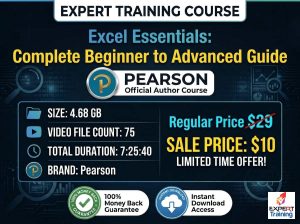
Price: 6.00 USD | Size: SIZE: 4.4 GB | Duration: 9.00+ Hrs
BRAND: Expert TRAINING | ENGLISH | INSTANT DOWNLOAD
Discover Microsoft Excel’s basics, gain a deep understanding of how it works, and learn to use its Formulas and Functions.
What you’ll learn:
- Excel Basics: Understand the available features and the fundamentals of Excel.
- Deep Understanding: Gain a comprehensive understanding of how Excel works.
- Functions and Capabilities: Learn about the functions available in Excel, their capabilities, and behavior.
- Nesting Functions: Learn how to nest functions together to enhance functionality.
Requirements:
- Must have access to Microsoft Excel (ideally O365, Office 2021, or Office 2019).
Description:
- Getting to Know Excel:
- Understanding Workbooks and Worksheets
- Exploring the User Interface
- Navigating Excel
- Shortcuts for moving the Cell Pointer
- Using the Ribbon and Dialog Boxes
- Entering and Editing Data:
- Data Types
- Entering Data
- Editing & Deleting Cell Contents
- Using Undo & Redo
- Inserting Cells
- Using AutoFill and AutoComplete
- Intro to Formatting:
- Worksheet Operations
- Moving and Resizing Windows
- Activating a Worksheet
- Adding, Deleting, and Renaming Worksheets
- Zooming In & Out
- Freezing Window Panes
- Selecting, Adding, Deleting, and Hiding Rows and Columns
- Working with Ranges:
- Finding and Replacing Data
- Copying, Moving, and Cutting Ranges
- Using Paste Special
- Adding, Editing, and Removing Hyperlinks
- Using Notes
- Sort and Filter:
- Custom Sort
- Formatting
- Fonts
- Text Alignment
- Colors and Shading
- Borders and Lines
- Format Painter
- Saving and Password Protection:
- Creating a New Workbook
- Opening an Existing Workbook
- Saving a Workbook
- Changing the Default File Location
- Password-Protecting a Workbook
- Printing:
- Previewing the Printout
- Changing your Page View
- Previewing the Pages
- Creating PDF Files
- Intro to Formulas, Functions, and Cell References:
- Formulas and Functions
- Relative & Absolute Cell References
- Mixed References
- Circular References
- Math Functions:
- RANDBETWEEN, ROUND, ROUNDUP, ROUNDDOWN
- INT, TRUNC, ROUND
- MROUND, FLOOR, CEILING
- ODD, EVEN, MOD
- SUM, AutoSum, Alt + Plus Sign, Quick Analysis
- Running Total Formula, SUMIF, SUMIFS
- Logical Functions:
- AND, IF, OR, IFS
- Nested IF, ISEVEN, ISODD
- ISBLANK, ISFORMULA, ISERROR, IFERROR
- Statistical Functions:
- AVERAGE, MEDIAN, MODE
- COUNT, COUNTA, COUNTBLANK, COUNTIF, COUNTIFS
- MAX, MIN
- Text Functions:
- UPPER, LOWER, PROPER
- LEN, TRIM, CONCATENATION using the Ampersand symbol (&)
- LEFT, RIGHT, MID, TEXTBEFORE, TEXTAFTER
- Text to Columns, TEXTJOIN, CONCATENATE, TEXTSPLIT
- TEXT (including Leading Zeros and Padding Zeros)
- TYPE, VALUE, T
- Date & Time Functions:
- TODAY, MONTH, DAY, YEAR, WEEKDAY, DAYS, EOMONTH
- NOW, HOUR, MINUTE, SECOND
- Lookup Functions:
- XLOOKUP, UNIQUE, TRANSPOSE, VSTACK, HSTACK
By the end of this course, you will have the skills and knowledge necessary to utilize Microsoft Excel effectively for various tasks and projects.
Who this course is for:
- Anyone looking for a deeper understanding of Microsoft Excel.
Reviews
There are no reviews yet.